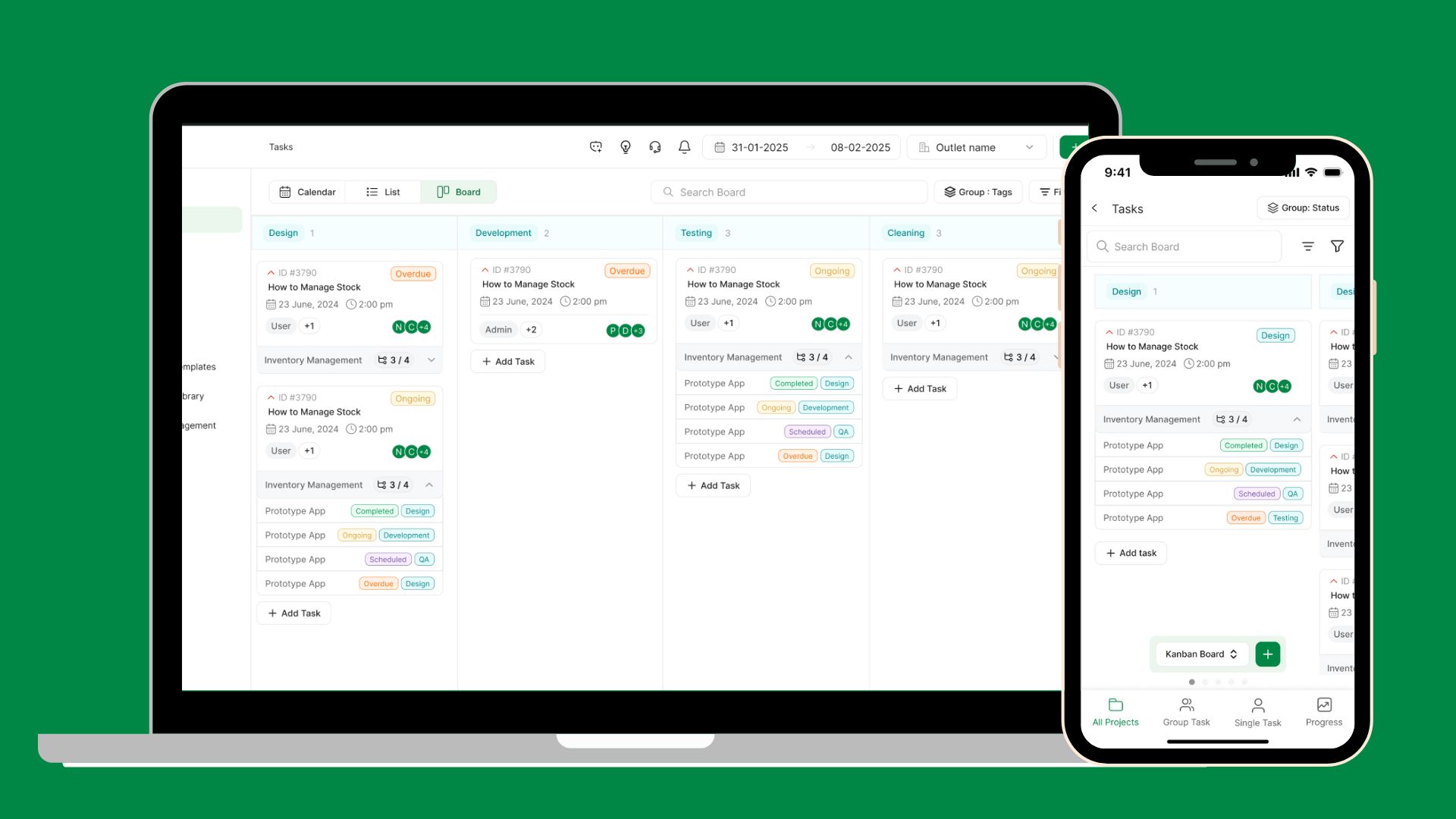
Hello Everyone We are back with some more enhancements for you. With this update, we have brought a new view for your tasks, issues, and projects, which is the Kanban Board view. Also, for our Petpooja Payroll Users, we have the first level of integration. Let's Dive Deep in this update
Kanban Board View - Web & App
We have now developed the best way to categorize your tasks, issues, and projects. The board view will now help you visualise which team is working on how much of the work or what is the status of them
Grouping Of Teams & Status - You can group the board view by Teams or Status, and in porject's case, with tags
All Views at One Place - All modules now get their individual tabs within each pages Calander view, list view, and Board View
Team's Work Estimation - Get clear visibility of how many tasks, issues & projects each team is handling or what their status is.
Petpooja Payroll X Petpooja Task Integration
This is one of the quietest ways for users who are using both products. With one click, they will be able to add all the users that they have onboarded on Petpooja Payroll to Petpooja Tasks. As of now, it is one way only
Important Note: For this Integration
- Admin User needs to be the same for Petpooja Payroll and Peptooja Tasks
- This is only one-way communication from Petpooja Payroll to Petpooja Tasks
- Changes done for the user in Petpooja Tasks will not be reflected on Petpooja Payroll
- Users will have to assign Role, Designation, and team for all the users once they are imported into Petpooja Tasks
Kindly make sure the application is updated to the latest version to make sure you get access to this feature. *Imp:- The Application might be under review in the Play Store if you haven't gotten an update. You will get an update for the application within 24 to 48 hrs
Please feel free to reach out to us at [email protected] or +91 7969223344 for training or any more information. We will be happy to assist you.
Did you like this update?
{error_message}
Leave your name and email so that we can reply to you (both fields are optional):